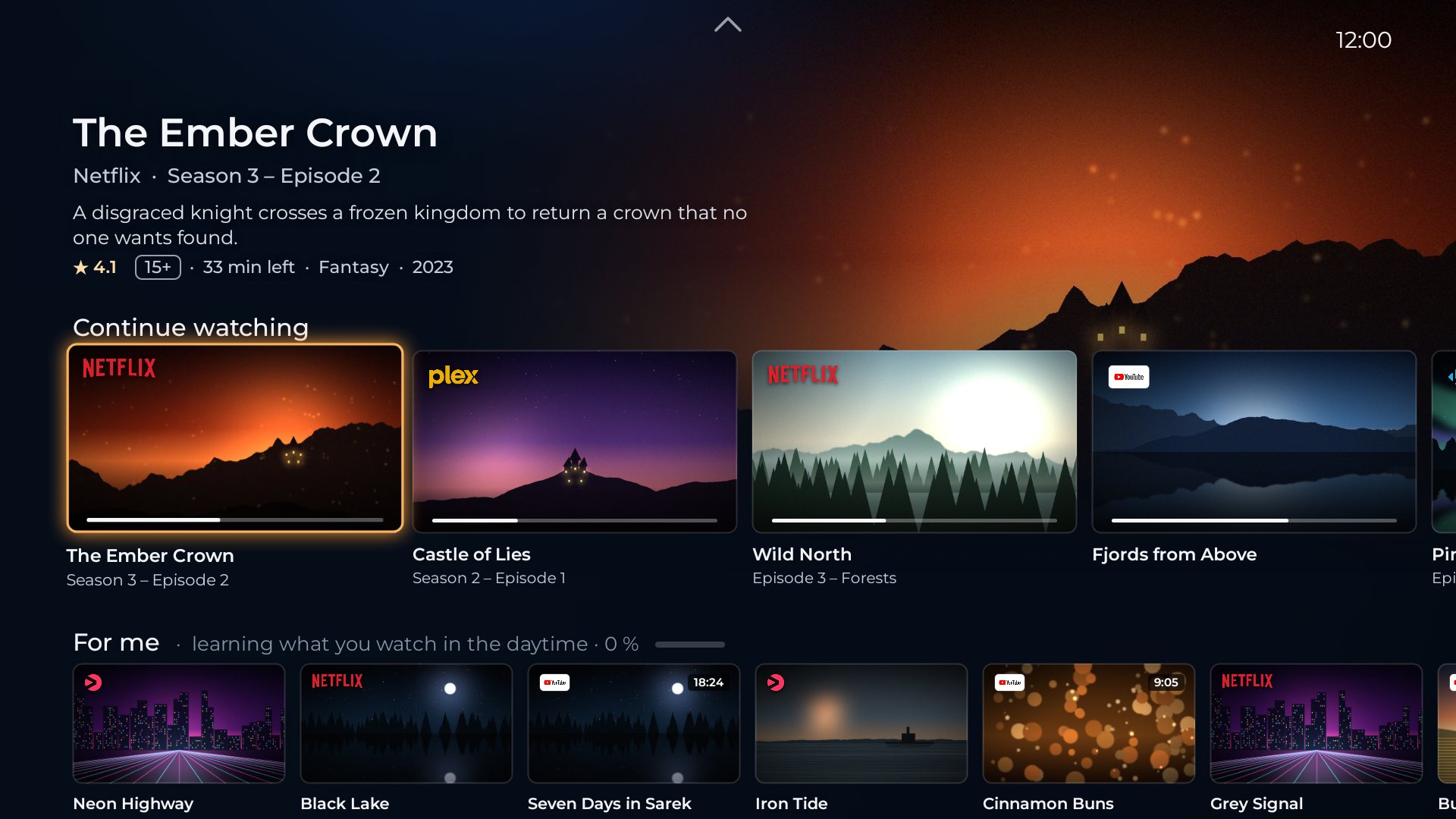
Every app, on glass
Your apps sit on glass plates with their own logos. The focused one glows gold, and everything below follows it.

Pick up where you left off, in any app
The episode you left in one app and the film you paused in another sit in one row. Focus an app and the rows follow it: its own titles first, then the rest.
- Season, episode and time left on every card
- A big, quiet hero for whatever is in focus
- Ratings and episode guides from public sources
What's playing, right at the top
Go home in the middle of an episode and Live is waiting at the top of the screen, one click from where you were. When nothing plays, Live suggests the app you usually open at this time of day.
- Now playing, with progress, from any app
- Back into the programme with one press
- A gentle suggestion when nothing is on
Rows that learn on the TV
New in your series with the episodes still to come, My list from every app, New since last time and On now. And For me, which learns what you watch in the morning, the daytime and the evening, on the TV itself.
- New episodes of the series you follow
- Your saved lists from all apps, together
- Learns per profile, never in a cloud
Every suggestion explains itself
Hold OK on any card. Save it as a favourite, mark it as watched, say Not interested, or ask Why is this here? and get a straight answer.
- Not interested means it's gone for good
- Favourites get their own row
- No hidden ranking, no paid placement
Your viewing, in numbers that stay home
History lists what you played for a minute or more. Statistics show your apps, titles and favourite hours. Both live only on the TV, one set per profile.
The small things, done properly
Profiles
One for you, one for the kids, one for guests. Each learns on its own.
Your glow
Gold, blue, silver and more. Pick the focus colour and the style of the plates.
The Home button
Press Home, or turn on the TV, and you land in Aurum, where you expect it.
Weather by the clock
Today's temperature next to the time, if you want it.
Your language
English and Swedish today, following the TV. More with every new country.
Your Plex library
Link Plex and your own films and series sit next to the streaming apps, On Deck included.
Compatibility check
A built-in scanner shows what each app shares with Android, and exports an anonymous report.
Upcoming episodes
When the next episodes of your series air, with dates, from a public episode guide.
A closer look
Straight from the app, at TV resolution. Click a screen to see it large.
Calm, because nothing is for sale
Aurum has no server, no account and no advertising partners. It shows what your apps already share with Android, and keeps what it learns on the TV.
What Aurum never does
- Show ads or sponsored rows. Not now, not in a later version.
- Show titles to rent or buy. Only what you can already watch.
- Fill rows from apps you didn't choose. You decide which apps count.
- Send your history anywhere. There is nowhere to send it.
What it reads, and why
- What your apps publish to Android TV: Continue watching and their channels.
- What's playing now, with your permission, for Aurum Live and your history.
- Public lookups, such as episode guides, ratings and weather, made straight from the TV without an account.
Opening one country at a time
Streaming apps behave differently in every country. Before we open a new one, we check how its apps work with Aurum.
Sweden
The first closed test starts here, with Aurum in Swedish and English.
The Nordics
Norway, Denmark, Finland and Iceland, once their apps have been checked. Apply now to be among the first there.
Your country
Not on the list yet? Tell us where you are. Interest decides what opens next.
Be first on your TV
Aurum is not out yet. Testing will run through Google Play, starting in Sweden, so you install and update it like any other app. Apply to test it before launch, or just ask to hear when it is out.
Everyone who tests keeps Aurum free for good, and you can go back to your old home screen at any time.
Good to know
When can I get Aurum?
Aurum is not out yet. A closed test starts in Sweden, the Nordics come next, and Aurum opens on Google Play once the testers say it is ready. Leave your email and you will hear first.
Does Aurum cost anything?
Not for testers: everyone who tests keeps Aurum free, for good, whatever it costs later.
Which devices does it run on?
Aurum is built and tested on Google TV Streamer. Google TV and Android TV devices on Android 12 or later should work too, and the test will show how well.
Do I have to sign in to my streaming apps again?
No. Your apps stay as they are. Aurum shows what they share with Android and opens them where you left off.
Can I go back to the old home screen?
Yes, at any time: Settings › System › Back to Google TV in Aurum, or simply uninstall it.
Why isn't my country open yet?
Every country has its own apps, row names and languages. We open a country once its apps have been checked, and testers there help with an anonymous compatibility report.